
JioHome
Designed digital smart home experiences within a connected ecosystem serving 10M+ user base within the Jio ecosystem.
- Connected Home
- IoT
- Smart Home
- Security & Network
- Entertainment
- Years
- 2018 – 2022
- Role
- Product Designer,UX Researcher
- Scope
- UX Research, Product Design,UI/UX Design, Design Systems
Product
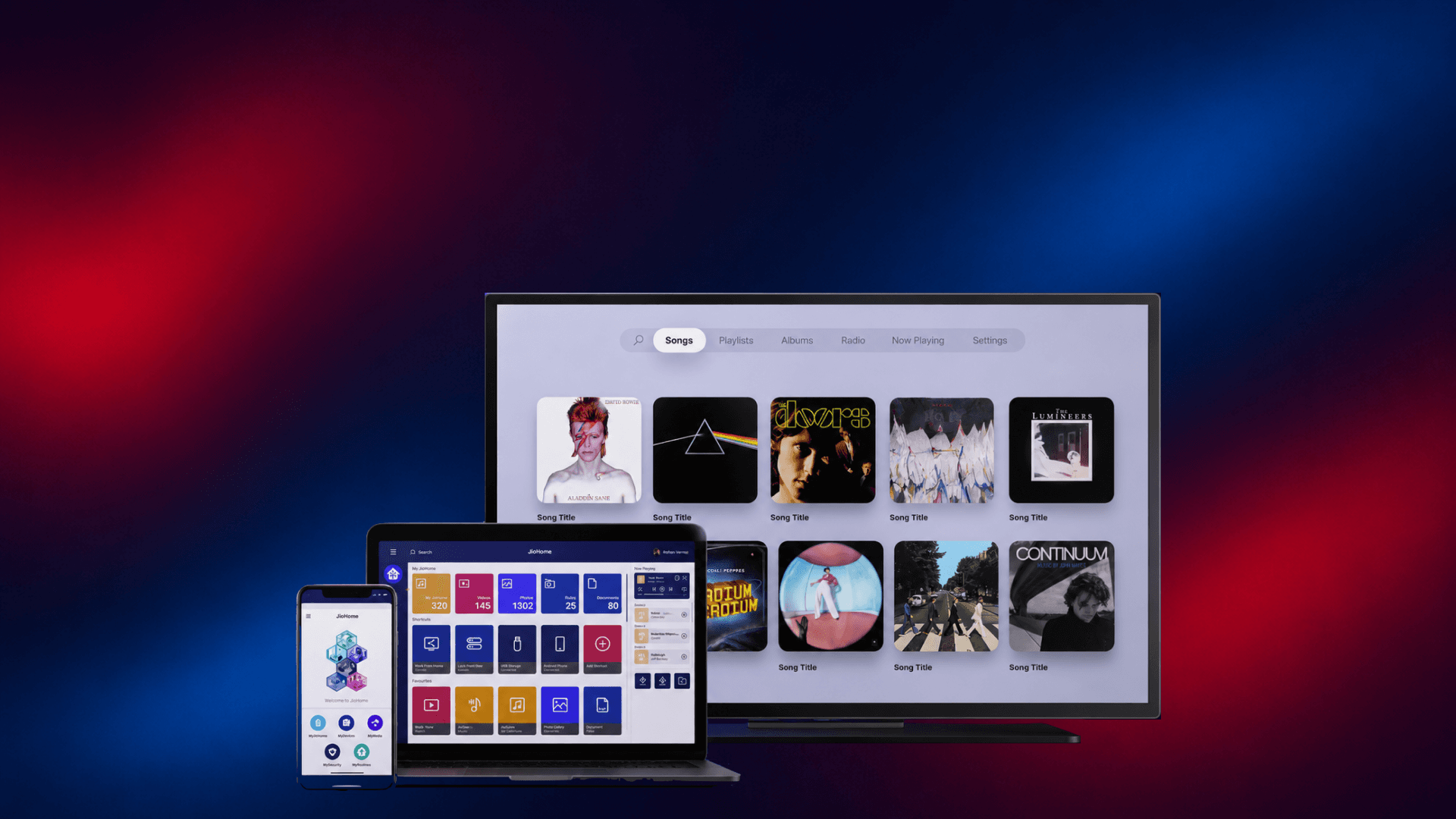
A connected home ecosystem designed to bring entertainment, smart home controls, security and network management into one seamless experience across mobile, web and TV.
Challenge
Managing a connected home meant navigating multiple devices, services and interfaces. Users needed a simpler way to control their home, access entertainment and manage their network across an increasingly complex ecosystem.
Solution
A unified cross-platform experience that brought smart devices, entertainment, security and network controls together across mobile, web and TV, creating a more consistent and accessible connected home experience.
Result
Jio's growing connected home ecosystem resulted in smarter homes at a relatively affordable price, creating consistent interactions across multiple platforms and helping simplify complex services for a large and diverse user base.
Impact
10M+
users across the JioHome ecosystem
4.5/5
App Store rating
50+
interview participants

The question
One point of control for every home
How might we provide safety, security and convenience to a wide range of users, right from families to users living alone, from a single point?
Overview
A single home, five connected apps
JioHome is a home automation solution that lets users access and control everything from smart sensors and devices to viewing and sharing local media, within the same network. This includes features for smart devices, media, virtual remote control, security cameras and tracking Jio Wi-Fi mesh units.
Features
Five apps, each solving one part of the home

MyRemote
Designer: Abhishta & Pranali
- Control the JioSetTopBox through a soft remote for smooth navigation
- Play JioGames using the soft gamepad

MyMedia
Designer: Janina & Abhishta
- Access and stream or cast media files on companion devices within the same network, locally or remotely

MyNetwork
Designer: Neelima
- Provide network structure across devices
- Change the SSID password of the JioRouter

MySecurity
Designer: Neelima
- Surveillance system to monitor indoor and outdoor activity at home
- Also used for offices, shops and other spaces
MyHome
Designer: Neelima & Abhishta
- Access and control smart devices installed at home, from anywhere
- Set routines for connected devices

MySpeaker
Designer: Abhishta
- An easy setup app for the JioSmartSpeaker
- Serves as a visual bridge with the speaker for information and task-oriented actions
Ecosystem
How the ecosystem fits together
Research
Who JioHome is designed for
Primary users are mostly from Tier 1 and Tier 2 cities, aged 25 to 50.
- Working full-time from the office, away from home and family
- Have pets at home
- Use their phones frequently and are already familiar with smart devices
The Family Protector
Psychographic
Users are primarily from Tier 1/2 cities. Age groups range from 25 to 65.
Knowledge Level
Users are aware of basic smart devices like smart speakers, TVs and door, smoke and security sensors.
Technology Orientation
Users are tech-savvy and use smartphones regularly.
Research
Following Nikhil through his day
Opportunity
Turning pain points into ‘I want to’ statements
After considering the data from the user personas and journey, we gathered users' pain points and turned them into 'I want to' statements. This gave us a clear read on the kind of features JioHome could have across all of its apps.
Structure
Mapping the ecosystem's information architecture
Design system
A consistent visual language across every app
Interface
Six features, one consistent flow
Across every feature
Evolution
From five apps to one integrated platform
JioHome V1 was a collection of standalone apps combined into a single app. JioHome V2 set out to integrate every feature so they'd work with each other harmoniously, rather than sitting side by side (work in progress).
Cross-platform
Your music companion, bigger and better

Play your music from local storage in the same network. Create playlists and enjoy them across all platforms. You can also enjoy over 1,000 regional radio channels for a variety of music.
Features
Three ways to bring your music to the Set Top Box
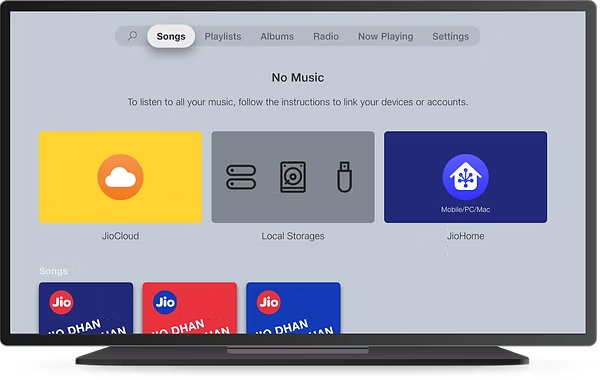
Local & cloud storage
- Listen to your music from many local and cloud storages.
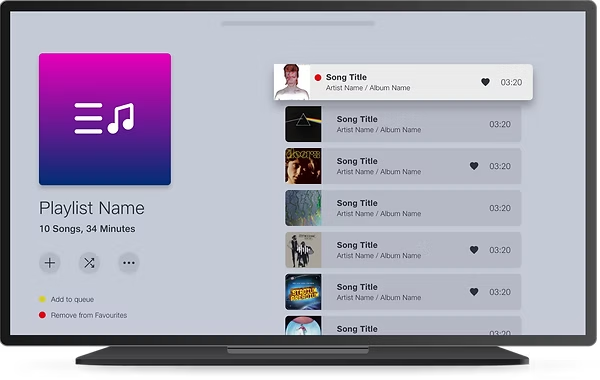
Pen drives & portable drives
- Listen to music from pen drives or portable hard drives by connecting them to the USB port of the Set Top Box or JioRouter.
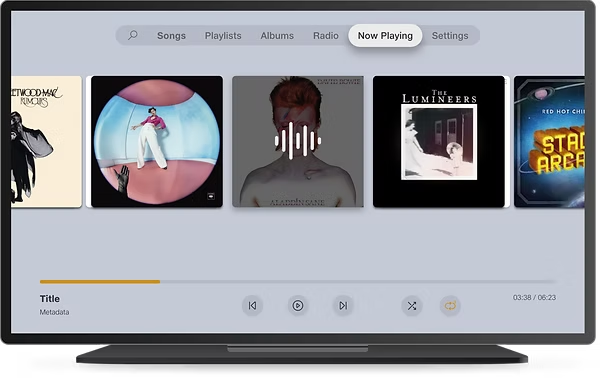
JioCloud & JioHome
- Connect to your JioCloud storage or install the JioHome app to enjoy music from your storages within the same network.
Cross-platform
Your photos and videos, wherever they're stored

View your photos and videos from local and cloud storages. Edit them with filters, colour overlays and exposure adjustments, or enable JioTV Call Camera to take pictures and videos and go live on Facebook.
Features
Three ways to relive your memories on the Set Top Box
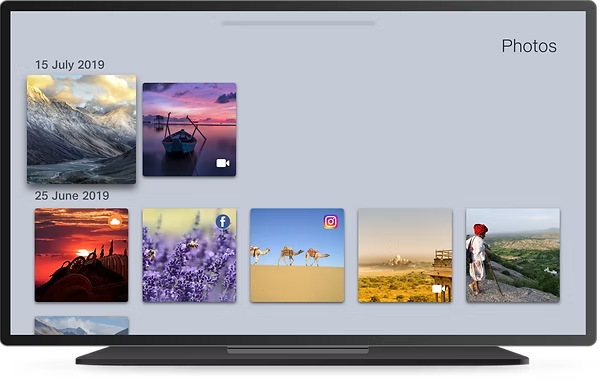
Photos & videos from the cloud
- Log in to cloud storages and social accounts such as JioCloud, Google Photos, Facebook and Instagram to view your photos and videos.
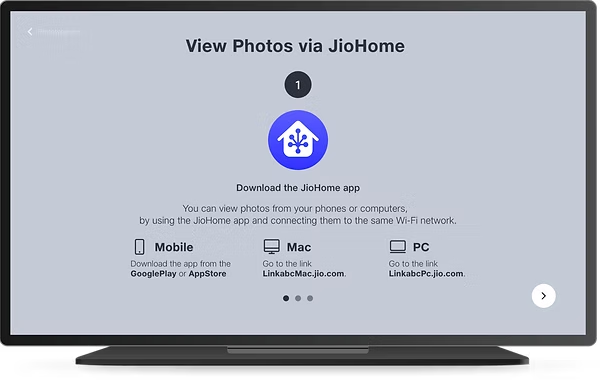
Photos & videos via JioHome
- After installing the JioHome app, view photos from your phone or computer by connecting to the same Wi-Fi network.
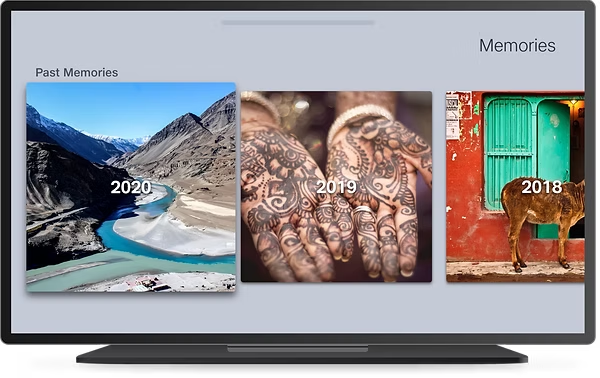
Relive old memories
- View any picture stored in your cloud and local storages from previous years or months, directly on the Set Top Box.
Cross-platform
Your music companion, on the web too

Play your music from local storage in the same network, and create playlists you can enjoy across every platform.
Cross-platform
Casting from JioPhone to the living room

Connect your JioPhone to the Set Top Box using the media cable, and play your music from local storage within the same network.
Impact and Reflection
What this project taught me about designing at scale
Challenges faced
- The features were all standalone apps before being combined into the JioHome parent app, which made a consistent design language and navigation structure hard to maintain since every feature had grown differently. This is why V2 had to happen.
What can be improved
- The features can be made to speak to each other and integrate more closely, which is what the V2 designs began to address.
- Setup flows can be smoothed out so users don't feel like they're working through multiple separate steps.
What's next
- A few brand integrations for smart devices are on the way for JioHome.
- Research has begun on Home control of devices, media and remotes on the Set Top Box, working towards a Smart Home platform for STB as well.
Team
Design Lead
Janina Schmidt
UX/UI Designers
Abhishta Lalwani, Neelima Salvi & Pranali Nijampurkar
UX Researcher
Abhishta Lalwani
Previous
← JioMotive